
GrantAI Update: Smarter From Intake to Recommendation
Less setup. More selling. These four GrantAI updates handle the repetitive work so you can focus on the client in front of you.
Suitability Check from Client Profile
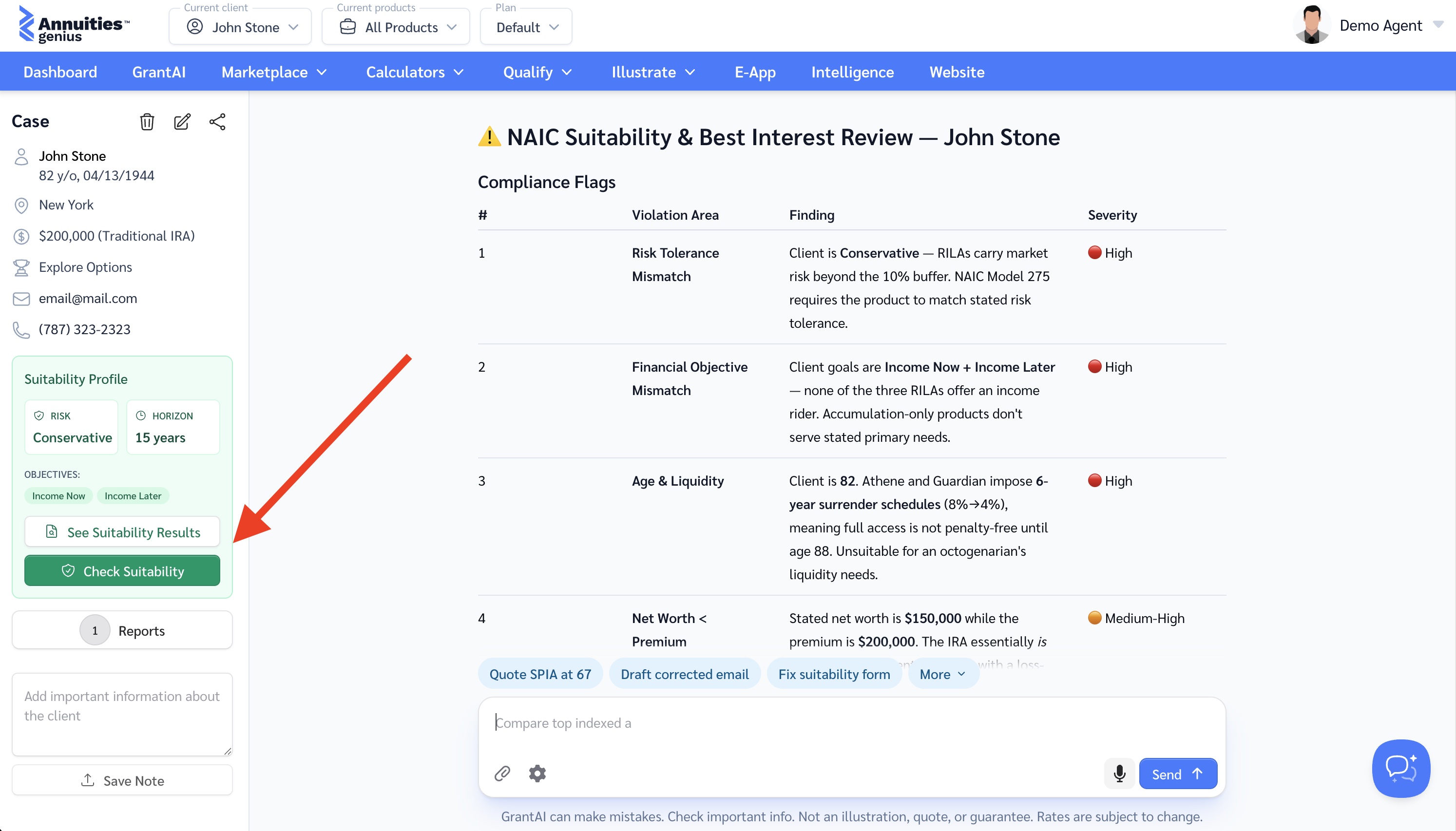
Run a full NAIC Suitability & Best Interest review directly from the client profile — no manual prompting required.
Why it matters
Catch state-of-issue mismatches, income goal gaps, funding source discrepancies, and net worth concentration issues before the application is submitted — reducing E&O exposure and carrier rejections.
How it works
- In the navigation menu, go to Qualify → Suitability Questionnaire and complete it — occupation, tax bracket, financial experience, income, contact details, and other client information are collected once and stored on the profile.
- Open the client in GrantAI.
- Click Check Suitability — a prebuilt AI prompt launches automatically.
- Receive a structured report: compliance flags (critical → low), rejection probability, and a recommended product pivot — all before touching the E-App.
Availability
Available on the Prime+ plan and above. See pricing or try it yourself.
Custom Instructions for AI
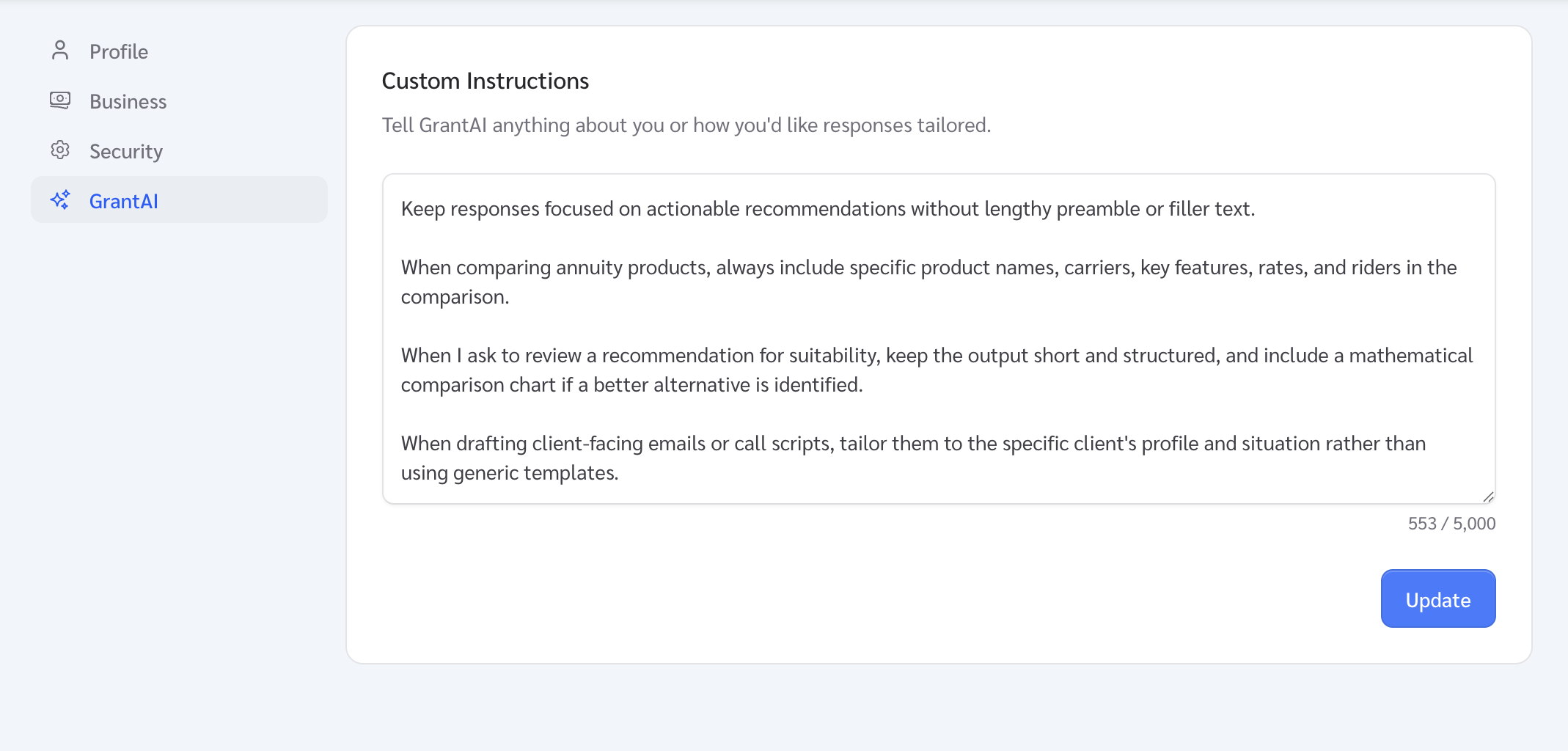
Personalize how GrantAI responds to you — every conversation, without repeating yourself.
How it works
- Click the gear icon in the GrantAI chat window to open Settings.
- Type your instructions in the text area and save. Tell GrantAI how you work - your preferred carriers, product focus, reporting style, or anything else.
- GrantAI applies your instructions to every conversation automatically from that point on.
Auto-generated instructions
Once you have 50+ messages across 3 or more conversations, GrantAI analyses your history overnight and drafts instructions for you. Next time you open GrantAI, a pop-up lets you review, edit, and save them before they take effect.
Availability
Available on the Prime+ plan and above. See pricing or try it yourself.
Dynamic Questionnaires from AI
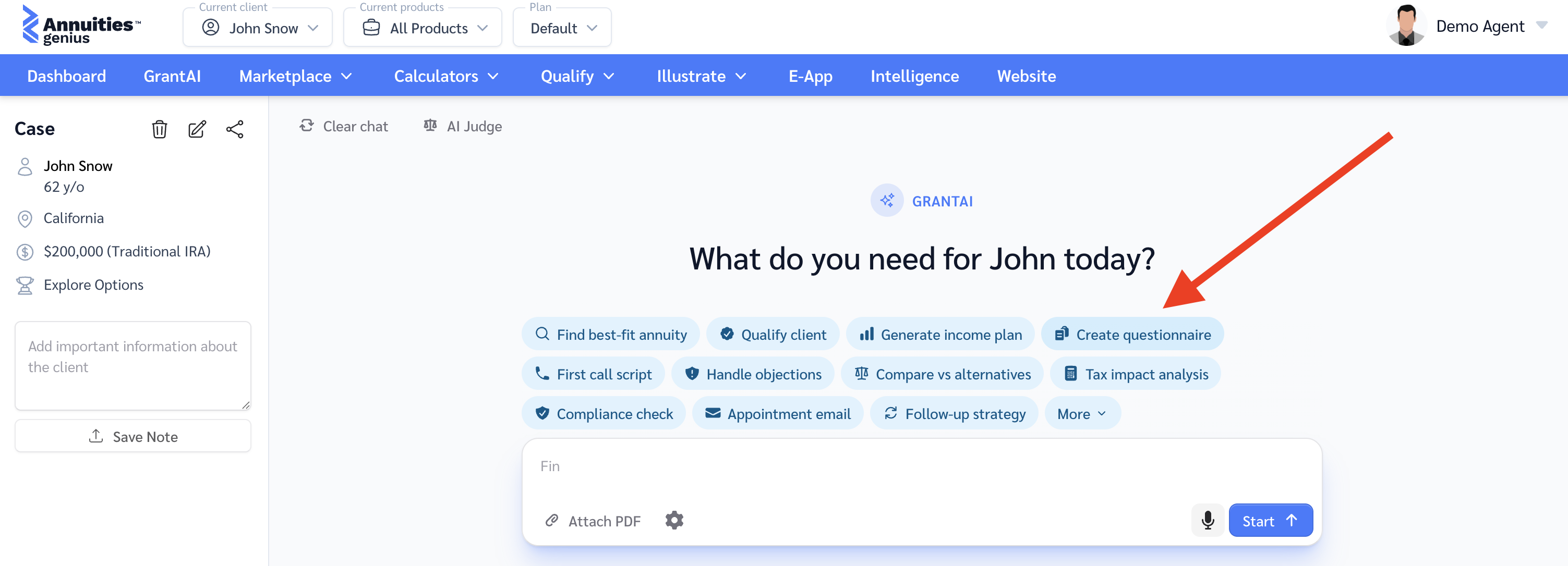
Send clients an AI-generated fact-finding questionnaire — tailored to their situation, completed on their own time, and automatically processed into a proposal-ready summary.
How it works
- Ask GrantAI to generate a personalized questionnaire for your client. Deliver it any way you prefer — or send it via email directly from GrantAI.
- The client opens the link and answers questions one at a time — no login required.
- Once submitted, GrantAI processes the answers in the background (3–4 minutes). The agent receives an email notification when it’s ready.
- GrantAI has already analysed the responses and prepared a proposal summary — ready to select products and generate the report.
Prefill Case Details from PDFs
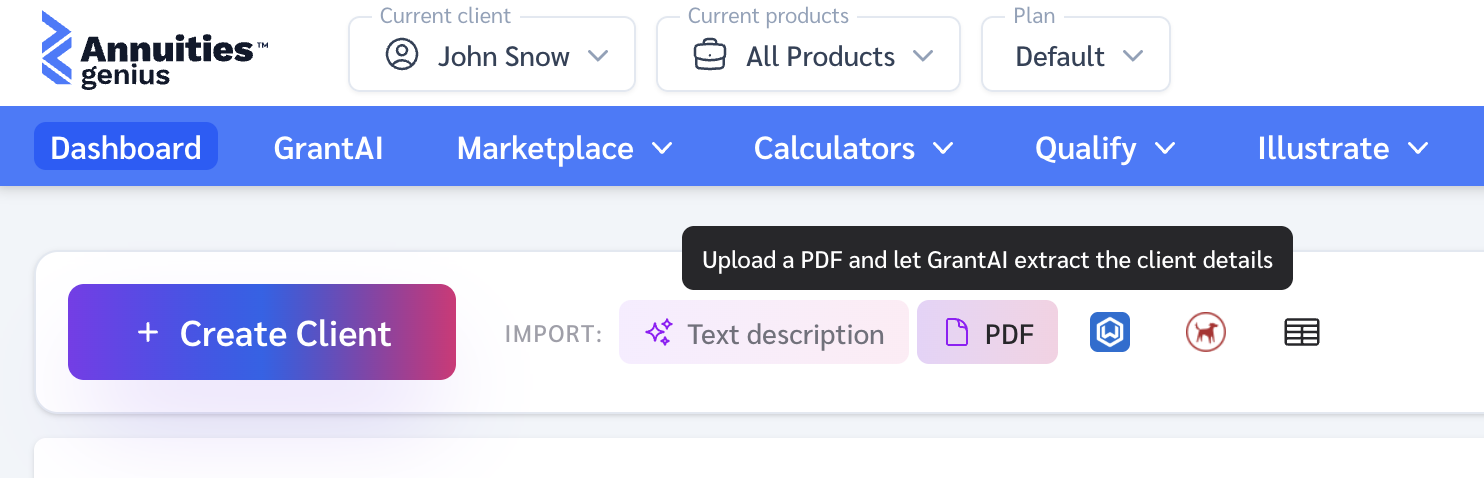
Upload any PDF — a completed questionnaire, illustration, fact-finder, risk analyzer, or existing product proposal, and GrantAI will extract everything it needs to build the client profile automatically.
How it works
- From the Annuities Genius Dashboard, click the PDF icon. It can be any annuity-related document — format doesn’t matter.
- GrantAI reads the file and extracts personal details (name, age, state, email, phone, address, income, etc.) and case context (goals, risk tolerance, funding source, and other relevant data).
- All recognised fields are prefilled on the client profile. Anything that doesn’t map to a field is saved as notes.
- GrantAI is ready to analyse the case straight away — no manual data entry needed.
Bring an existing client into Annuities Genius with one upload. No re-typing, no missed fields — GrantAI hits the ground running.
We're just getting started. Expect more updates dropping regularly as we keep pushing GrantAI further.