
Part 1 of 2
Set up ChatGPT
Connect it once, check it for free, then switch to Work for a whole client case.
-
1.
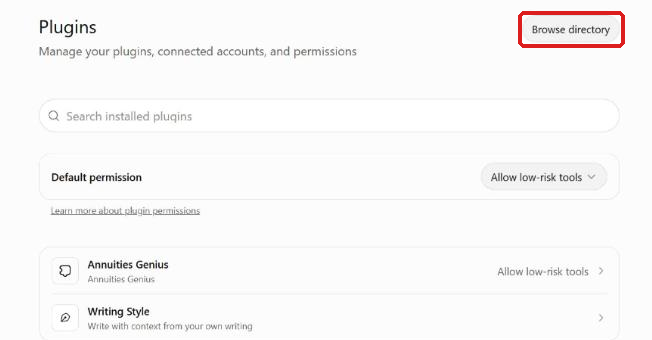
Open Settings, then Plugins. Click Browse directory.
 (opens full size in a new tab)
-
2.
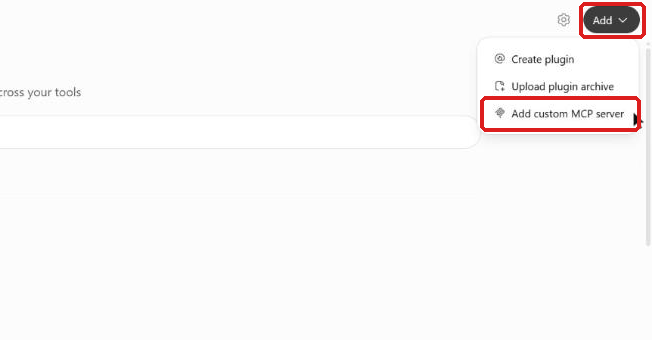
On the next page, click Add, then Add custom MCP server (MCP links an AI app to a tool).
 (opens full size in a new tab)
-
3.
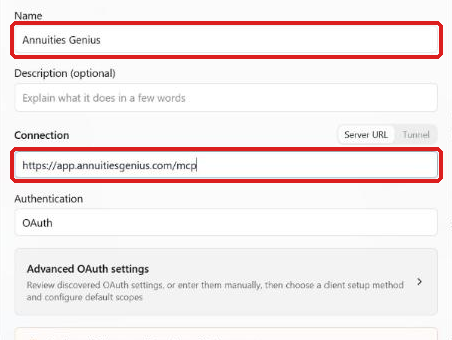
Name it Annuities Genius. Paste the address under Connection. Check I understand and want to continue, then click Create as a plugin.
https://app.annuitiesgenius.com/mcp Select the text and copy it.
 (opens full size in a new tab)
-
4.
Click Connect Annuities Genius. Sign in to Annuities Genius if asked, then click Authorize ChatGPT.
The page is titled ChatGPT wants to access your Annuities Genius account.
-
5.
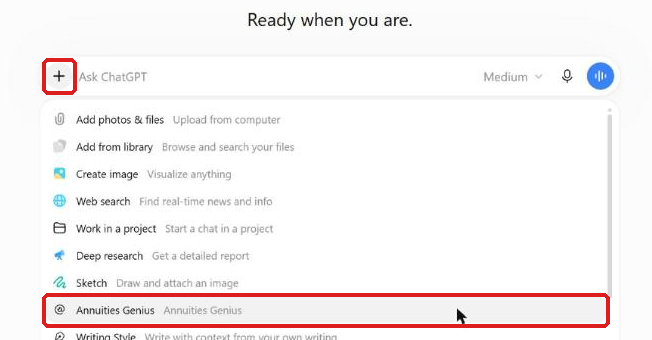
Check it for free. In a new chat, click +, pick Annuities Genius and send this question.
tell me which account you're connected to and what you can do for me.
Select the text and copy it.
ChatGPT names your account. Looking up your own data is free.
 (opens full size in a new tab)
-
6.
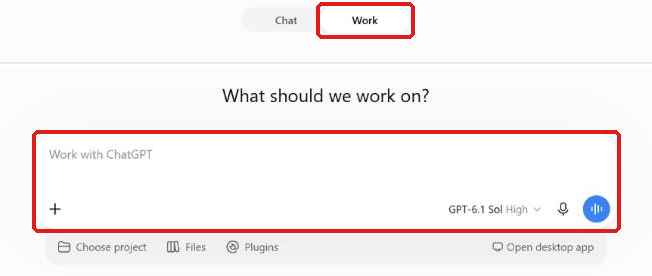
For a whole client case, switch from Chat to Work at the top.
The box now says Work with ChatGPT.
 (opens full size in a new tab)
-
7.
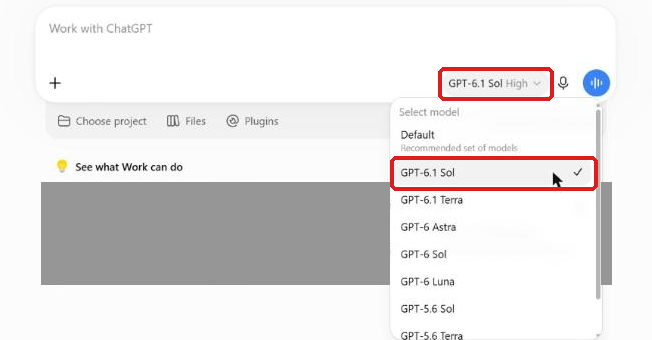
Type @ and pick Annuities Genius. Click the model name and pick GPT-6.1 Sol for the fullest answers.
GPT-6.1 Terra is quicker.
 (opens full size in a new tab)