
Lesson 11 of 14 · Part 3 of 5
After the sale: deliver the contract, set the review
Call when the contract is delivered and check it against what you sold. Then read the key pages together and set the yearly review.
Do it in Genius
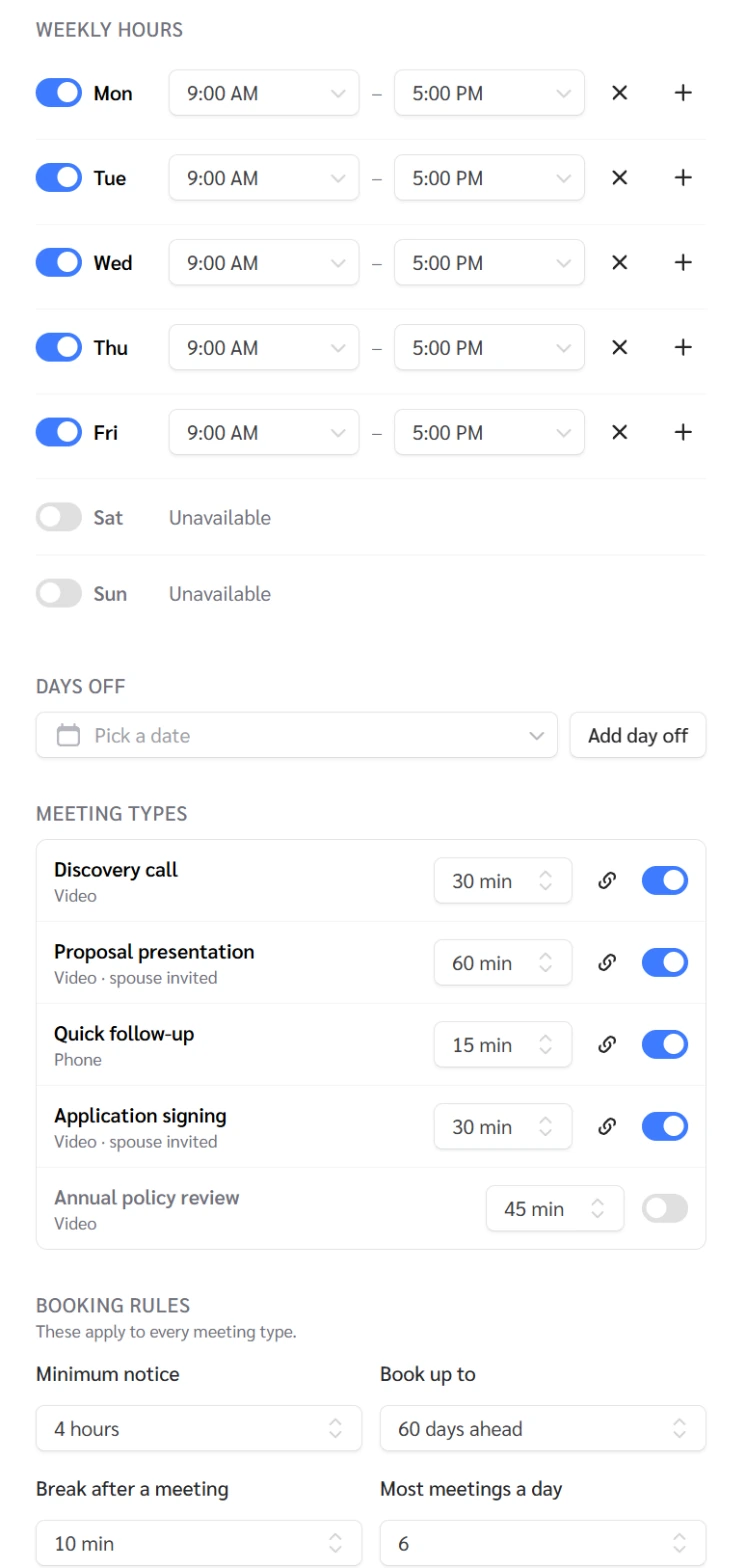
Meetings Availability Meeting types Annual policy review
Practice Client, 3 Nov 2026: Annual policy review is a 45-minute video meeting type. It showed as switched off, and Meetings has no reminders.
Open Meetings in Genius (opens the app in a new tab)In the app: CRM → Meetings
 (opens full size in a new tab)
-
1.
When the contract is delivered, call. Check its data page matches what you sold, then go through it together.
- Free look
- A set period after delivery when the owner can cancel for a refund. Length and refund vary by state and product.
Spot an error? Call the insurer's new business team. Point out when the free look ends and the return steps.
-
2.
Walk the two key pages in order: income (Read the rider), then the cost of leaving early (Read the exit).
In Annuity info, Withdrawal, a surrender charge can fall from 10% in year 1 to 1% in year 10. Read your client's own contract.
-
3.
In Meetings, click Availability and switch on Annual policy review. Then send the client your booking link.
Before each anniversary, review credited interest, renewal rates, income start and beneficiaries.
-
4.
Then ask: "Who do you know who should have this conversation?"
Send your booking page (Meetings). Send your site (Website, Copy Link) only after your IMO and the carriers have reviewed it.
Sources
- Annuities Genius help: Renewal Rates
- NAIC Model 245: annuity disclosure
- NAIC Model 275: suitability in annuity transactions
- NAIC Model 613: life insurance and annuities replacement
- Annuities Genius help: Annuity Basics for New Agents
- Annuities Genius help: How to Choose the Right Annuity
- Annuities Genius help: Income Rider Calculator
- Annuities Genius app, checked 3 Nov 2026