
Lesson 1 of 14 · Part 1 of 4
Put one client in the app, with three sentences
Three plain sentences, and the app fills in the client form. The Credits, Plans & Pricing help page says creating a client uses no credits.
Do it in Genius
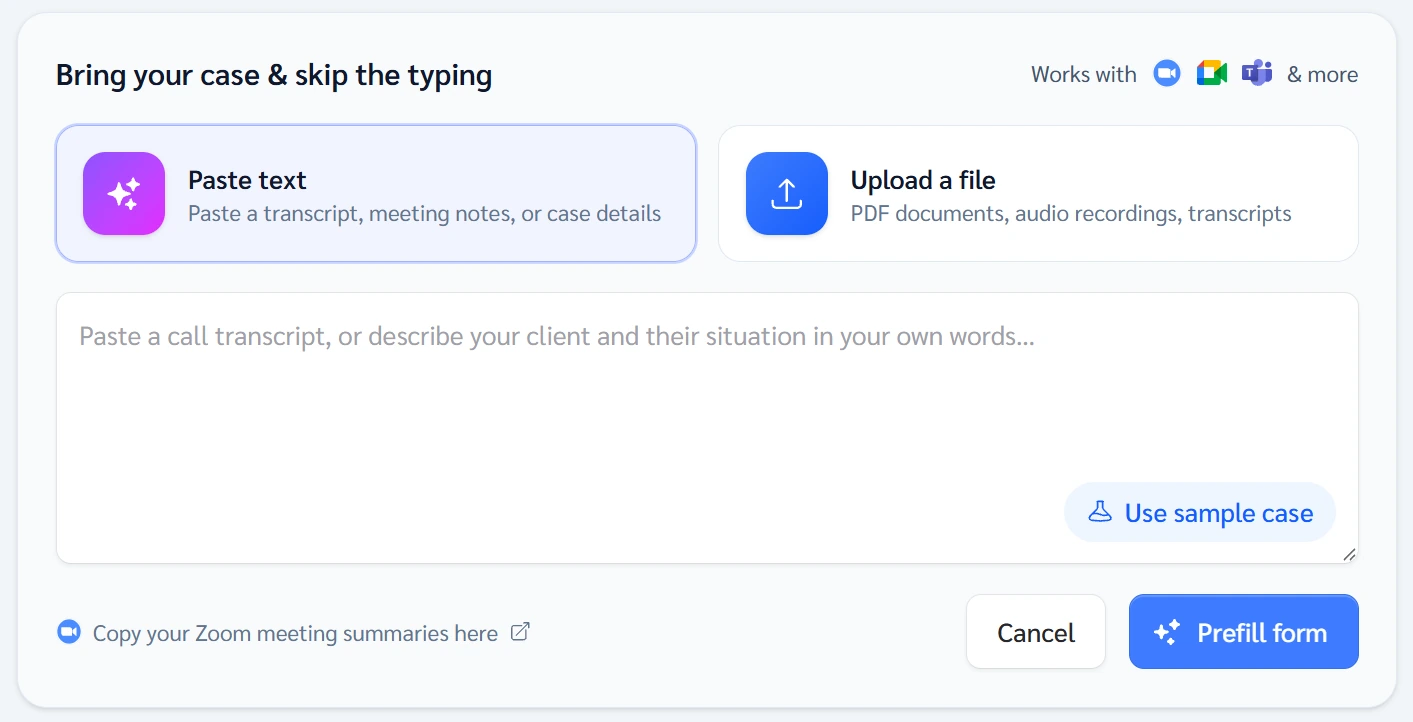
Create Client Paste text Prefill form Undo prefill
Practice Client, 3 Nov 2026: Paste text takes your sentences. On a test case, Prefill form filled the form and showed Undo prefill.
Open Create Client in Genius (opens the app in a new tab)In the app: CRM → All cases → Create Client
 (opens full size in a new tab)
-
1.
Write three plain sentences about the first client: who they are, the money, what they want.
Client #1. [Woman or man], age [age], lives in [state]. Has [amount] in [savings, CD, 401(k) or IRA]. Wants [the goal, in the client's own words].
Select the text and copy it.
No client yet? Use this practice case: Practice Client, woman, 66, Texas, $150,000 in a Traditional IRA, income from 68.
-
2.
In the app, open Create Client. Click Paste text and paste your sentences. Upload a file takes a PDF, recording or transcript.
- IMO
- Independent marketing organization: the firm that contracts you with insurers and sends your paperwork in.
Paste or upload only what the case needs, in a workflow your IMO or insurer approves and privacy rules allow.
-
3.
Click Prefill form. Check every field, above all the money and the goal. For a couple, switch on Spouse or Joint Owner.
- Qualified
- Money held in a tax-qualified arrangement, such as a traditional IRA or 401(k). Tax is generally due when it is withdrawn.
- Non-Qualified
- After-tax money held outside a tax-qualified retirement arrangement. Earnings and annuity payouts follow their own tax rules.
Defaults are Male, Qualified, Explore Options: check each. Know the birth date? Turn on Use exact date of birth.
-
4.
Click Create Client and open your client's page. The left card holds details and notes. GrantAI, the AI assistant, is on the right.
No form field for debts or spending? Write them in Add important information about the client, then Save Note.
Sources
- Annuities Genius help: Create a Client Case
- Annuities Genius help: What to Gather From a Client
- Annuities Genius help: Qualified vs Non-Qualified Funds
- IRS Publication 575: pension and annuity income
- Investor.gov: annuities
- NAIC Model 275: suitability in annuity transactions
- FINRA Rule 1220: registration categories
- NAIC Model 672: privacy of consumer financial and health information
- NAIC Model 668: insurance data security
- Annuities Genius help: Credits, Plans & Pricing
- Annuities Genius app, checked 3 Nov 2026