
Lesson 2 of 14 · Part 1 of 5
Pick your first five
Not everyone. Start with clients who have a reason to talk. That means savings near retirement, a life or final expense policy you sold, or an annuity they own.
Do it in Genius
All cases Create Client
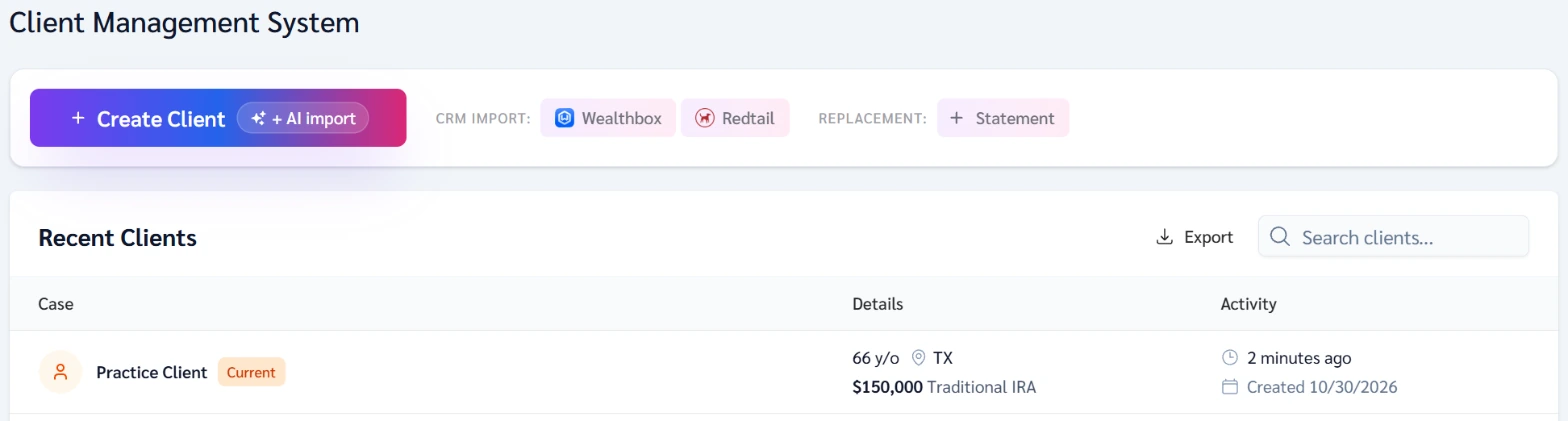
Practice Client, 3 Nov 2026: Create Client has + AI import. Her row shows 66 y/o in TX (Texas) with a Traditional IRA.
Open your clients in Genius (opens the app in a new tab)In the app: CRM → All cases
 (opens full size in a new tab)
-
1.
Mark clients near or past Medicare age with savings, an IRA or a 401(k), and no pension.
Example: 66, Texas, a $150,000 Traditional IRA, goal Generate Income. This is the Practice Client.
-
2.
Mark clients near retirement who bought life insurance or final expense cover from you. Ask what their savings are for.
After a life or final expense sale, ask which they want next: retirement income, protection from market drops, or legacy.
-
3.
Mark anyone who owns an annuity.
Reviewing a contract they own is an easy first call. Say you sell insurance.
-
4.
Add the five in All cases. Click Create Client, the button with + AI import on it, once per client.
Genius has no tasks or reminders on a client. Keep your call days in your own calendar.
Sources
- Annuities Genius app, checked 3 Nov 2026
- Annuities Genius help: Create a Client Case
- Annuities Genius help: What to Gather From a Client
- Medicare Advantage rule: no annuity marketing in a personal marketing appointment, 42 CFR 422.2264(c)(3)(iii)(C)
- Part D rule: no annuity marketing in a personal marketing appointment, 42 CFR 423.2264(c)(3)(iii)(C)