
Lesson 7 of 16 · Page 1 of 6
Their agenda first, in their words
Before any numbers, find out why they came and what worries them most.
Do it in Genius
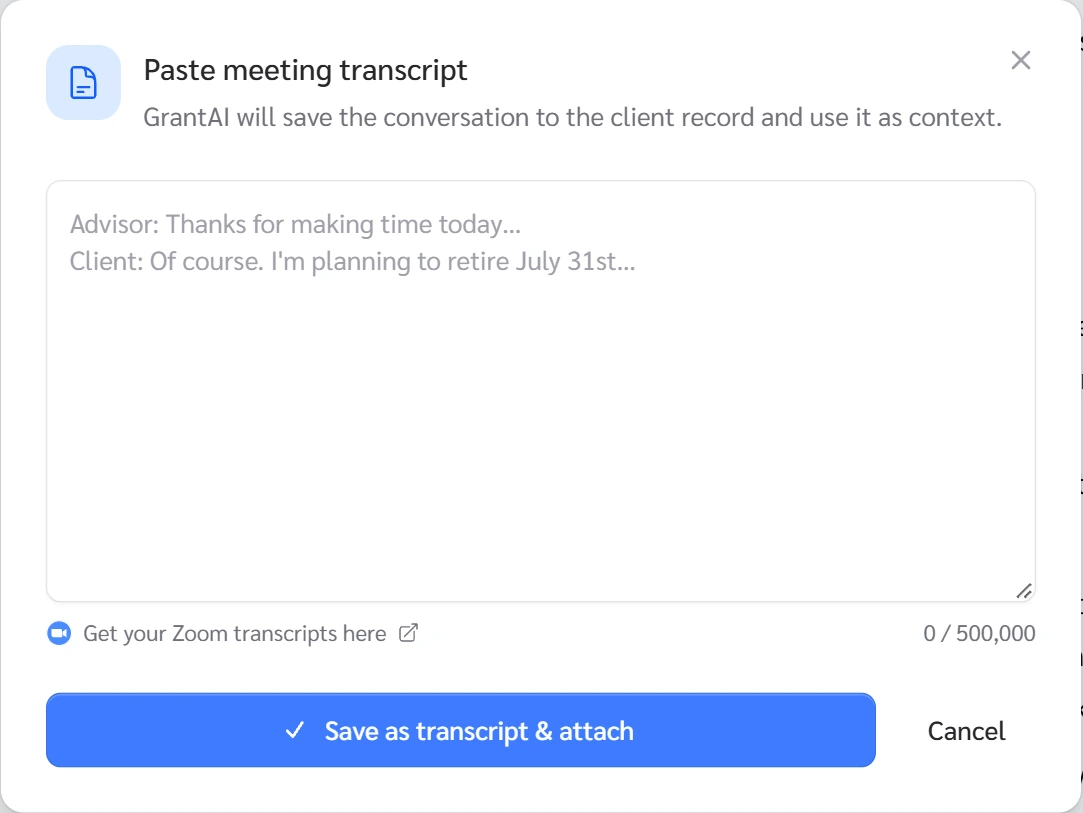
All cases your client paperclip Paste a transcript Save as transcript & attach
Practice Client, 10 Nov 2026: the paperclip opens Add case context: Upload a document, Paste a transcript, Upload a recording.
Open your clients in Genius (opens the app in a new tab)In the app: CRM → All cases
 (opens full size in a new tab)
-
1.
Say you sell insurance and how you are paid, and that today is to understand, not to sell. Then ask their goal and worry.
Cover the worry first. It points to the money's job: income, growth or the family.
-
2.
Save their words: click Note under the timeline, then Save note. Or click the paperclip, Paste a transcript, then Save as transcript & attach.
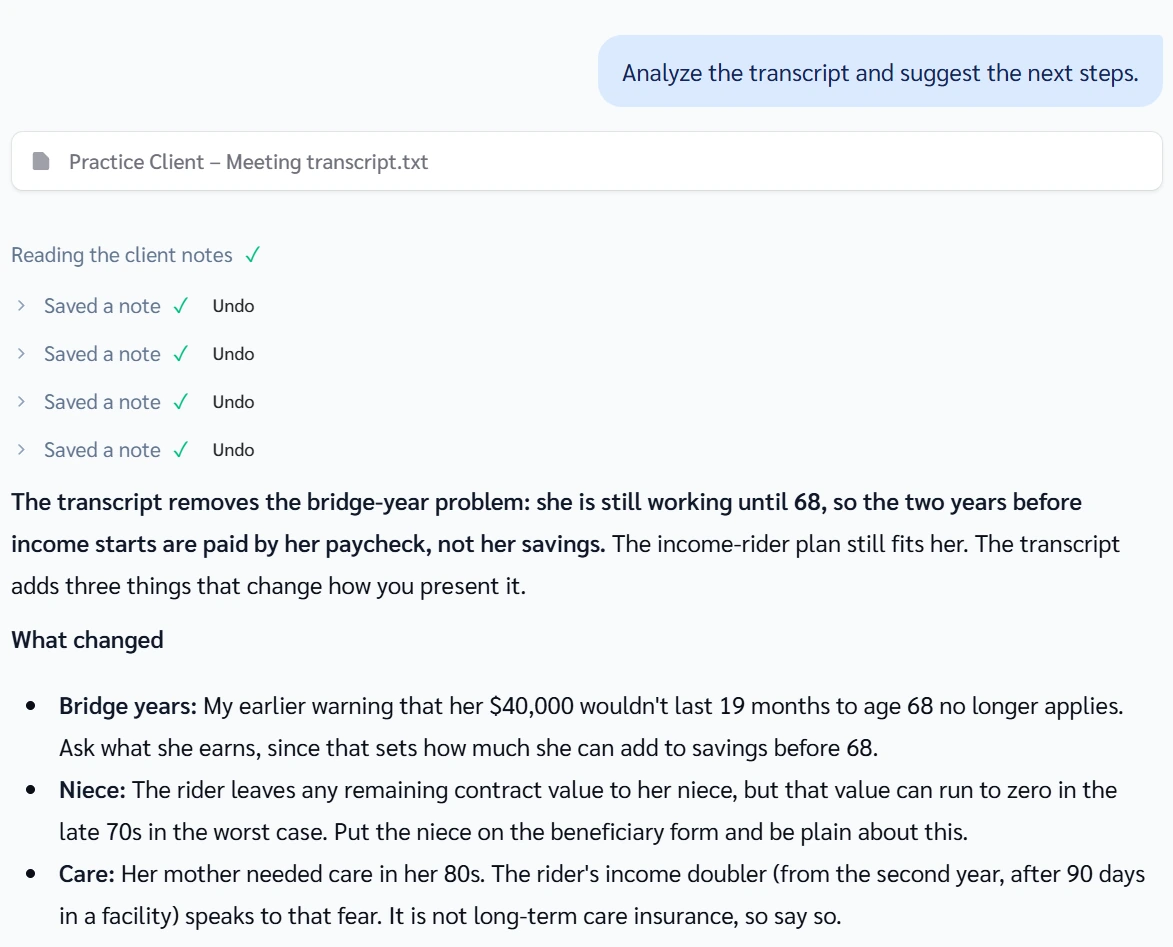
After you save, the chat box fills with: Analyze the transcript and suggest the next steps. Click the send arrow. It saved four notes for the Practice Client, each with Undo.
 (opens full size in a new tab)