
Lesson 9 of 14 · Part 1 of 4
Check the proposal, and share it only if asked
Read the proposal as your client will. Send it ahead only if the facts were confirmed at meeting one and the client asks. Otherwise bring it to meeting two.
Do it in Genius
All cases your client proposal card Share Private link Client activity
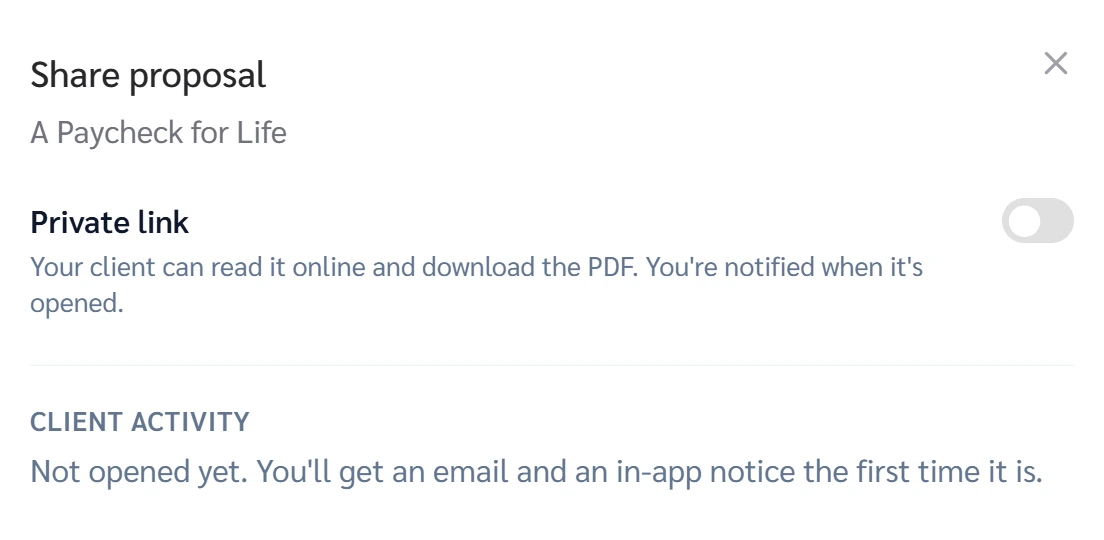
Practice Client, 3 Nov 2026: Share has a Private link switch, off at first. Client activity reads Not opened yet.
Open your clients in Genius (opens the app in a new tab)In the app: CRM → All cases
 (opens full size in a new tab)
-
1.
Open the proposal card in your client's GrantAI chat. On commission, a Fee-based pick is not for you: re-quote it.
Practice Client: "A Paycheck for Life", 8 pages. GrantAI's pick was Fee-based: re-quote on a row you can sell.
-
2.
Click Preview and page through the cover and seven sections as your client will.
Check the date on the cover. It shows when the proposal was made.
-
3.
Asked to "just send something"? Offer a short call first. If they still ask, click Share and turn on Private link.
A proposal you send can count as advertising. Check it with your IMO and the carrier first.
-
4.
Read Client activity in the same window. It says you get an email and an in-app notice the first time it is opened.
When you send it, let the client choose the day you call, or no call.