
Lesson 4 of 14 · Part 4 of 4
Will the rate hold? Read the Account Rate History
Caps and participation rates can change at each renewal. Annuity info shows the history of each rate, so read it before you sell.
Do it in Genius
Income rider calculator row ⋮ Annuity info Accounts
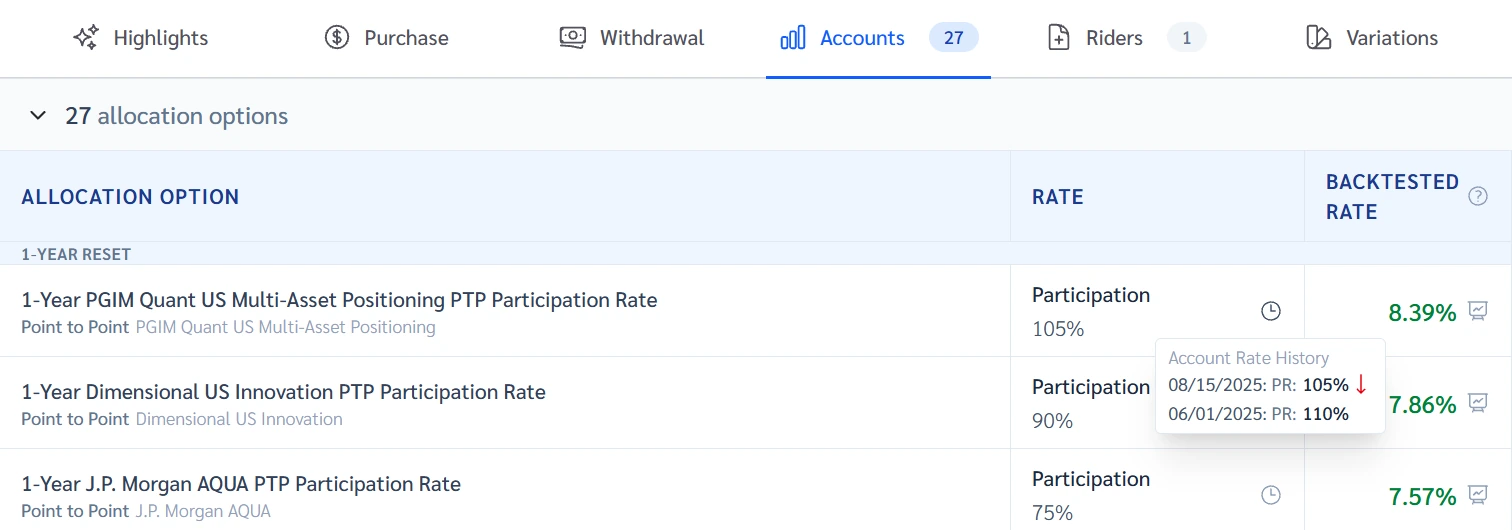
Practice Client, 3 Nov 2026: the clock icon beside a rate opens Account Rate History. One rate fell from 110% to 105%.
Rates change every day, so yours will differ.
Open Income rider calculator in Genius (opens the app in a new tab)In the app: Calculators → Income rider calculator
 (opens full size in a new tab)
-
1.
On a row, click the three dots, then Annuity info, then Accounts. Each rate has a clock icon.
- Backtested rate
- What today's terms would have paid in past years. A calculation, not a promise.
Look at the Backtested rate column too, but treat it as a calculation, not a promise.
-
2.
Click the clock icon. Account Rate History lists each change of that rate, newest first.
- Participation rate
- The percentage of the measured index gain the method counts. It can exceed 100%. A cap or other limits may apply.
- Cap
- The most interest the client can earn in a period, however well the index does.
The carrier buys options to fund the credit and may reset caps and rates at renewal.
-
3.
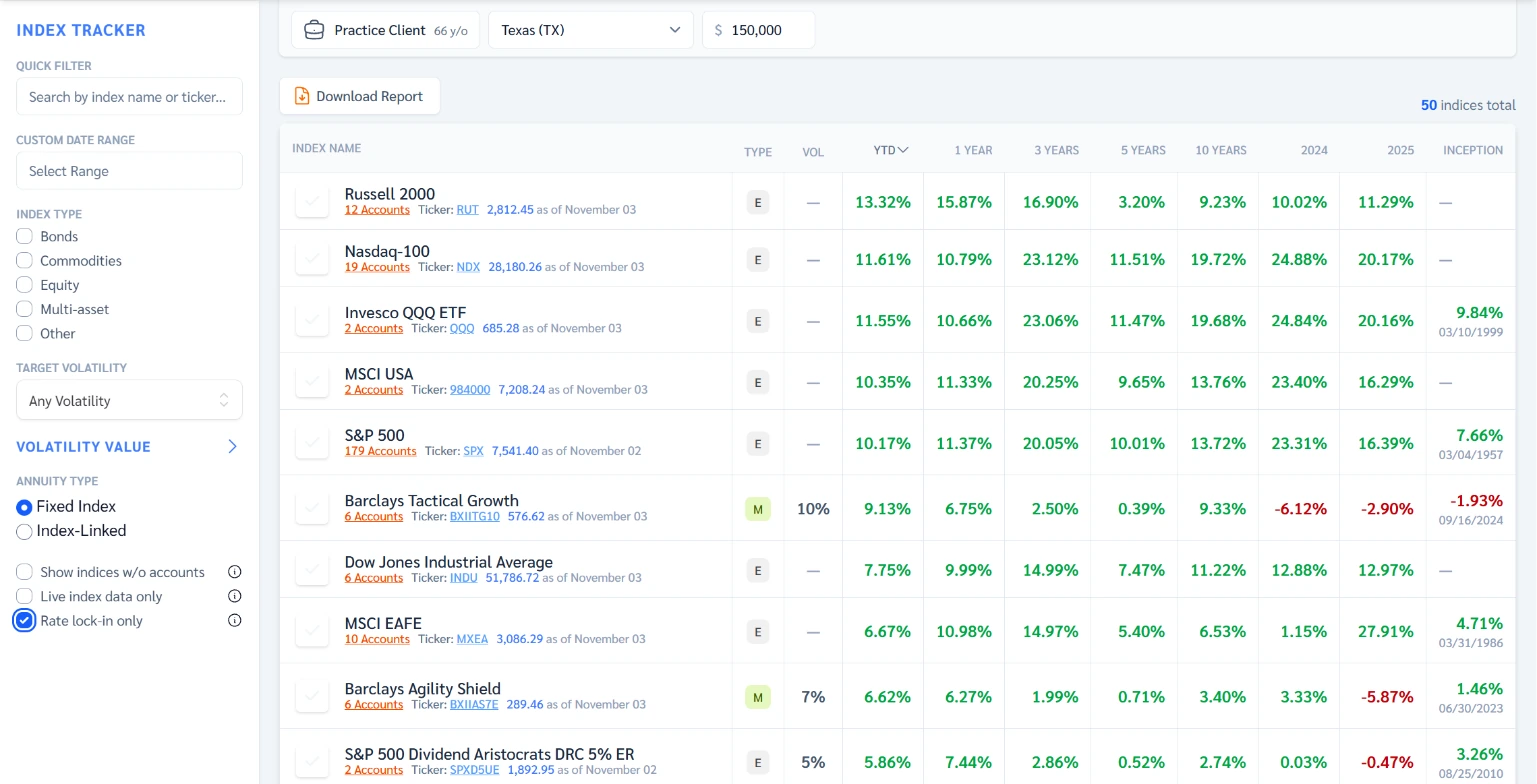
To see rates that hold, open Index tracker and tick Rate lock-in only. It lists strategies with a locked participation rate, cap or spread.
- Spread
- A set percentage taken off the index gain before interest is credited.
A locked rate stays fixed for its lock period. The list drops from 226 indexes to 50.
 (opens full size in a new tab)
-
4.
A bonus or a high cap? Ask the carrier, or your IMO, what pays for it and how the cap renewed.
A bonus can be paid for with lower caps or a longer surrender. History shows a habit, not a promise.