
Lesson 14 of 14 · Part 2 of 2
GrantAI, the help button, or the Video Course?
GrantAI helps you work a client's case. The help button and Get Help answer questions about the app. The Video Course teaches the screens at your own pace.
Do it in Genius
Get Help Live chat
Practice Client, 3 Nov 2026: Get Help shows Call us, Live chat and a LIVE Masterclass. It runs Wednesdays at 11:00 AM Pacific time.
Open Get Help in Genius (opens the app in a new tab)In the app: profile menu → Get Help
-
1.
Open your client's card. GrantAI is the chat on the right, with an Ask GrantAI box and a line of suggestions.
Complete the client's profile first, then ask GrantAI to compare options. You make the recommendation: record it and explain why.
-
2.
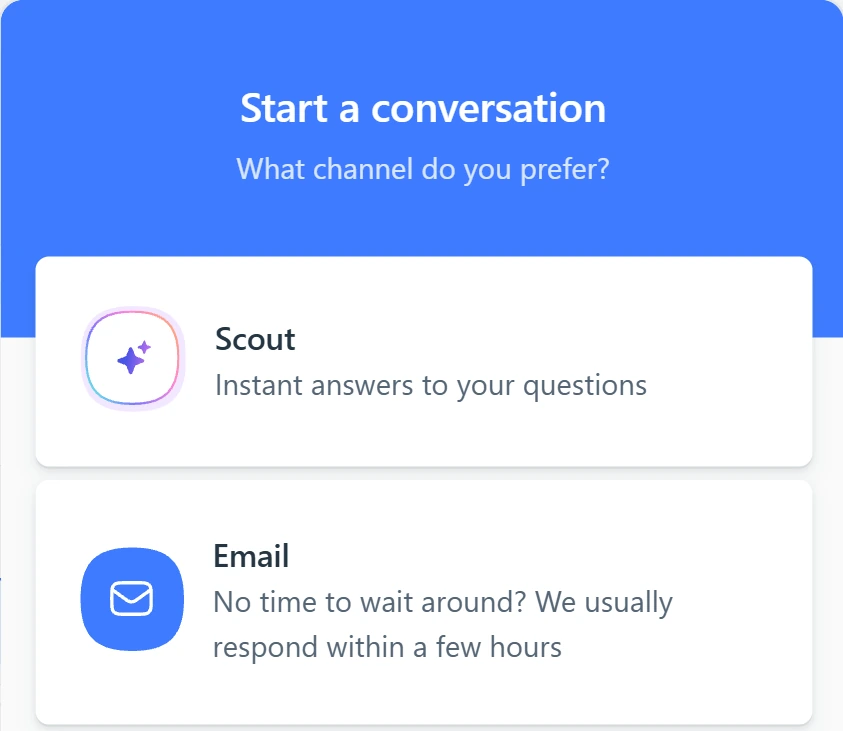
Click the help button in the corner. Scout gives quick answers, and Email reaches the support team.
Use it for a billing question or a screen that will not load. Get Help also has Live chat, Call us and a weekly live Masterclass. Case questions go to GrantAI.
 (opens full size in a new tab)
-
3.
Learn the screens at your own pace in the Video Course. Start with Getting Started, then AI Tools.
Then repeat each video on a practice client you create: 66, Texas, $150,000.
See also:
-
4.
Next level: already use ChatGPT or Claude? The Annuity MCP page shows how to connect it to Annuities Genius.
In the profile menu, find AI Apps. Connecting gives the tool your clients, quotes and case notes: ask your IMO first.
Sources
- Annuities Genius help: Run a client case with GrantAI
- Annuities Genius help: Working with the Current Client
- Annuities Genius help: University Training Guide
- NAIC Model 275: suitability in annuity transactions
- Annuities Genius: Annuity MCP Server
- Annuities Genius help: How to Connect Annuities Genius to ChatGPT
- Annuities Genius app, checked 3 Nov 2026