
Lesson 3 of 14 · Part 6 of 7
End with homework and meeting two booked
Sum up and send the link for meeting two. The proposal is shown at meeting two, once the facts are confirmed and on record.
Do it in Genius
Meetings Your booking page Proposal presentation
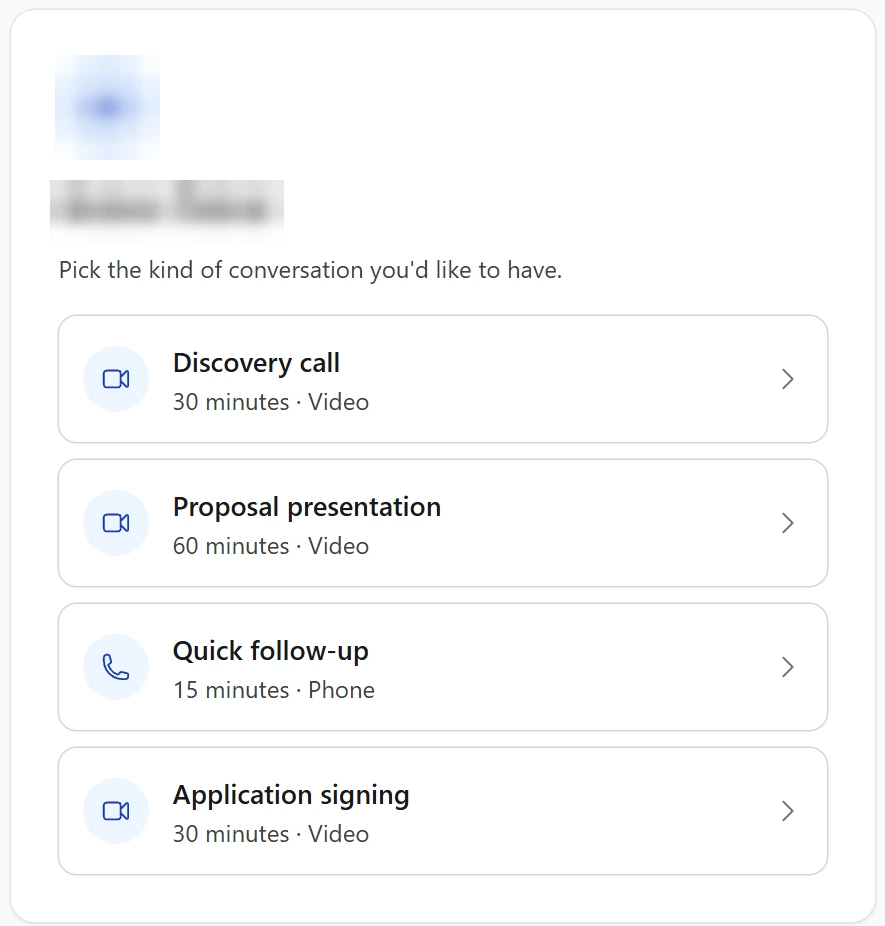
Practice Client, 4 Nov 2026: the booking page opens on Discovery call; See all lists four kinds. Proposal presentation: 60 minutes, spouse welcome.
Open Meetings in Genius (opens the app in a new tab)In the app: CRM → Meetings
 (opens full size in a new tab)
-
1.
Sum up: what is fine, what the gap is, and the one worry you heard most. Say you recommend nothing yet.
Facts missing? Show no product cards and give no verdict. Keep to general education. They can say no.
-
2.
Say what you will bring next time, and what they bring: statements and their Social Security estimate.
-
3.
Copy the Proposal presentation link with the link icon beside it: Availability, Meeting types. Send it. The client picks the slot. Confirm by email.
The link opens that meeting's open times. See all there shows your other meeting types.
-
4.
A question you can't answer well now? Say you will check it, and bring the answer to meeting two.
More, Follow-up schedule writes a plan as text in the chat. It makes no tasks or reminders.