
Lesson 3 of 14 · Part 1 of 7
Their agenda first, in their words
Before any numbers, find out why they came and what worries them most.
Do it in Genius
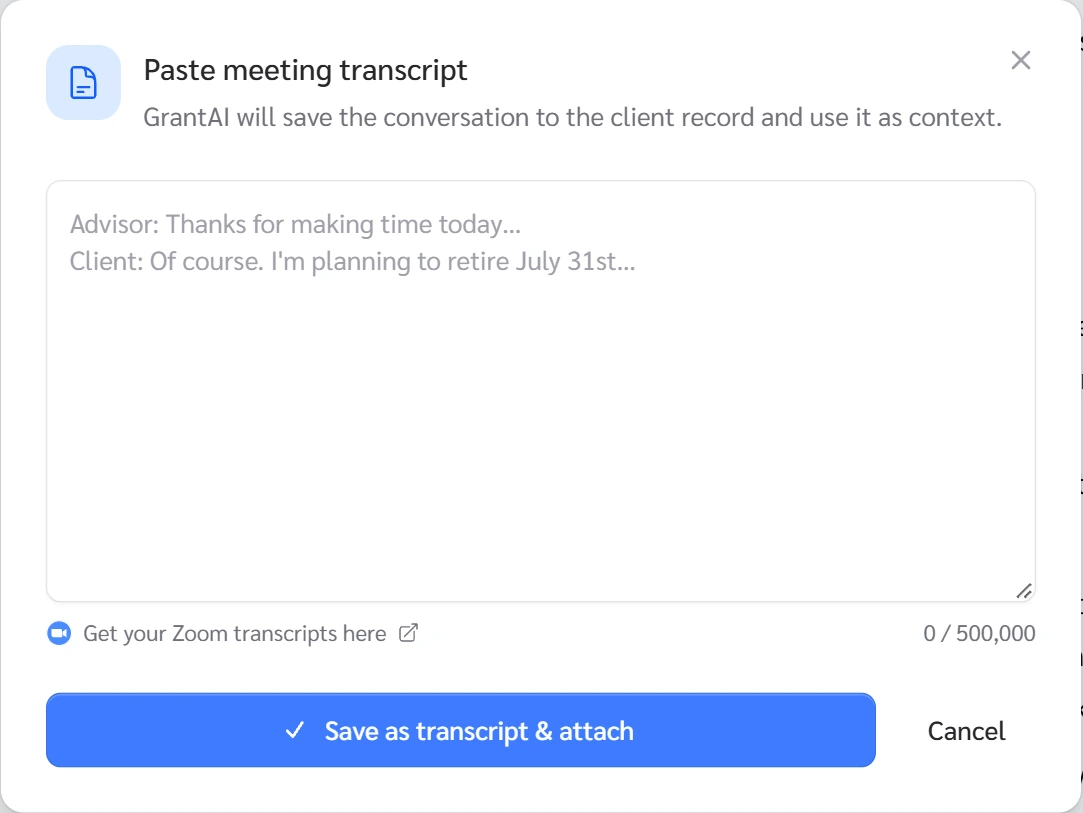
All cases your client paperclip Paste a transcript Save as transcript & attach
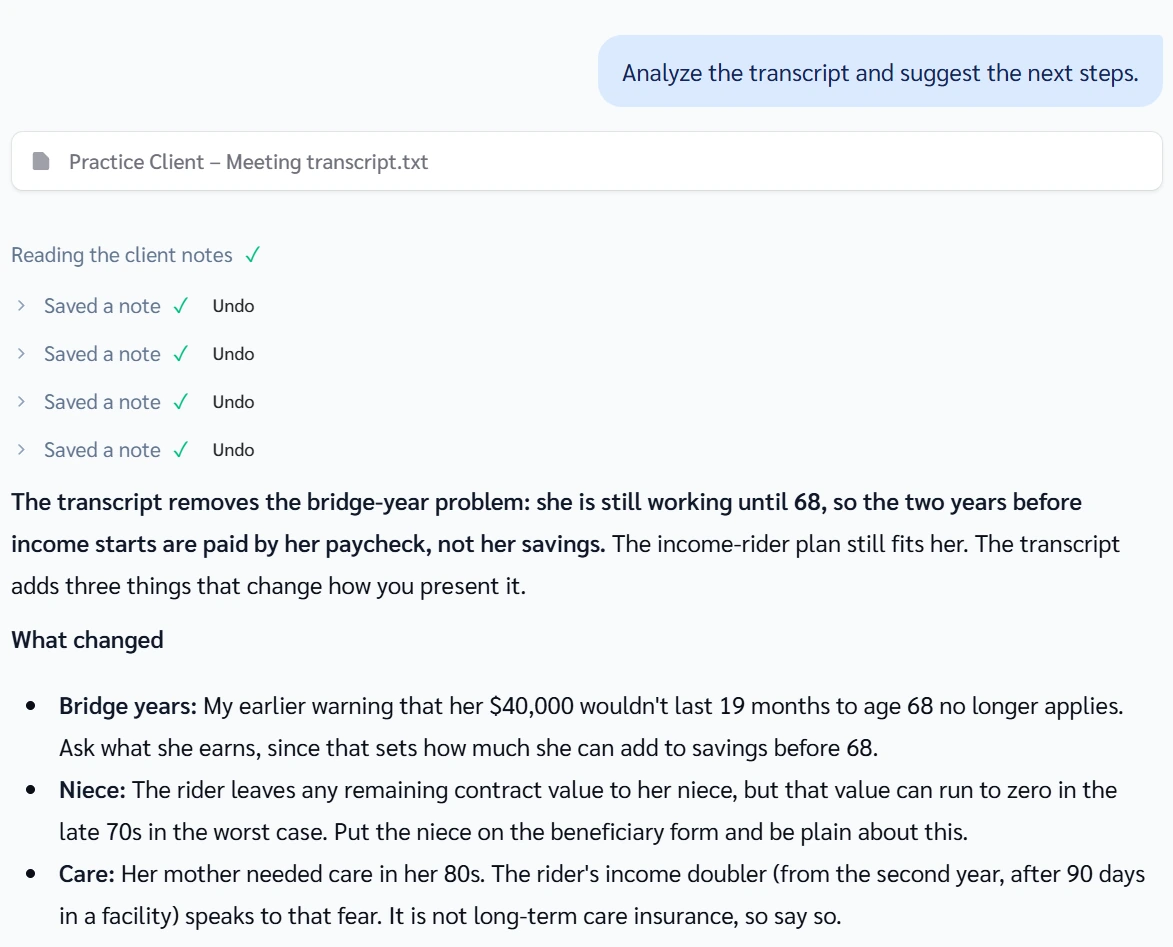
Practice Client, 3 Nov 2026: a pasted talk of 6 lines gave 4 notes. The card's Records button then read 2 Records.
Open your clients in Genius (opens the app in a new tab)In the app: CRM → All cases
 (opens full size in a new tab)
-
1.
Say you sell insurance and how you are paid. Say this meeting is to understand their situation, not to sell.
-
2.
Ask: "What is your goal for today? What bothers you most?" Then stay quiet and write down every word. Cover the worry first.
-
3.
Save their words on the card with Save Note. Or click the paperclip, Paste a transcript, then Save as transcript & attach.
After you save, the chat box fills with: Analyze the transcript and suggest the next steps. Click the send arrow. It saved four notes for the Practice Client, each with Undo.
 (opens full size in a new tab)
-
4.
Ask what anyone else has proposed to them, and what they think of it. Save the answer in a note.
The paperclip menu also has Upload a recording. It takes audio files such as mp3, m4a or wav.